
KinTrack · by Alexandrou Intelligence
Household chores, sorted together.
One person plans the chores. Everyone else sees exactly what is theirs. The whole household watches progress update live — with nothing to sign up for.
Coming soon to the App Store and Google Play.
What it is
Made for homes that share the work
A family that splits the housework, a home with a housekeeper or nanny, a shared flat — anywhere chores get handed out and forgotten. KinTrack replaces the sticky notes and the group-chat reminders with one list everyone can see, in their own language.
Two simple roles
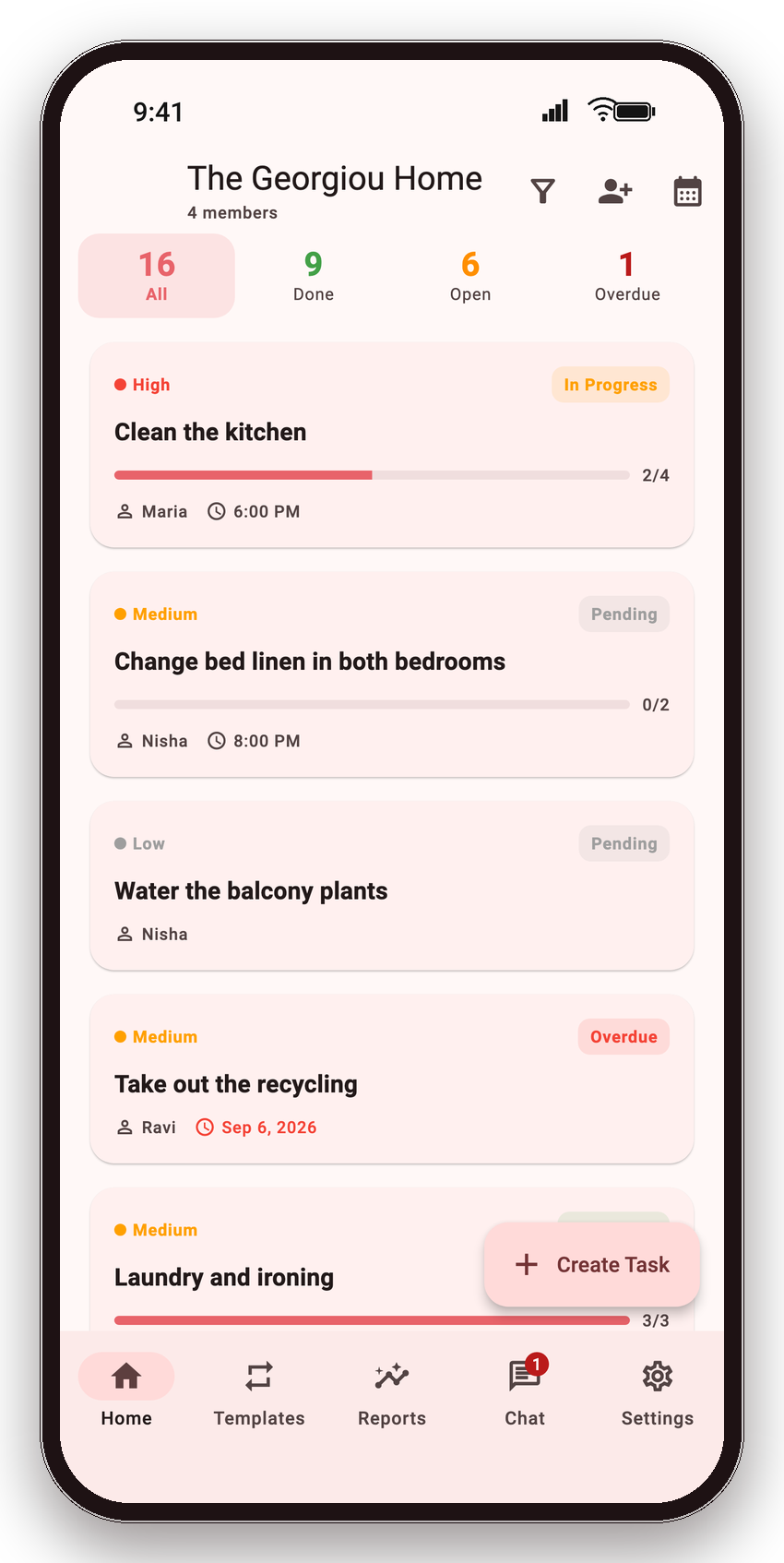
Head Kins plan. Kins do.
Head Kin
Runs the household: creates tasks, assigns them, sets routines and checks the dashboard and reports. A household can have more than one.
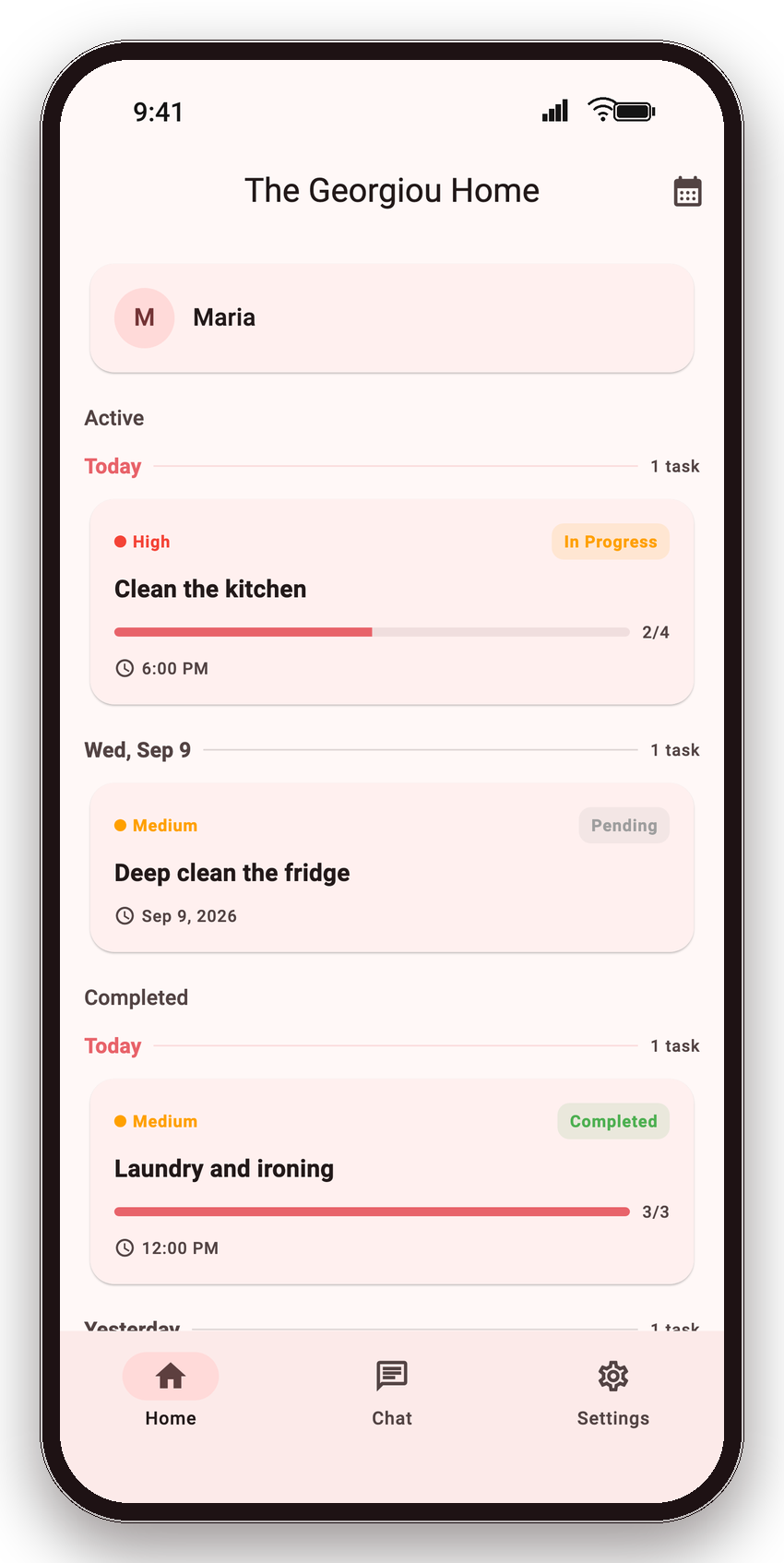
Kin
Anyone who does the work — a family member, housekeeper, nanny or flatmate. Kins see only their own tasks, tick them off, and chat with the Head Kin.
What it does
Everything a household needs, nothing it does not
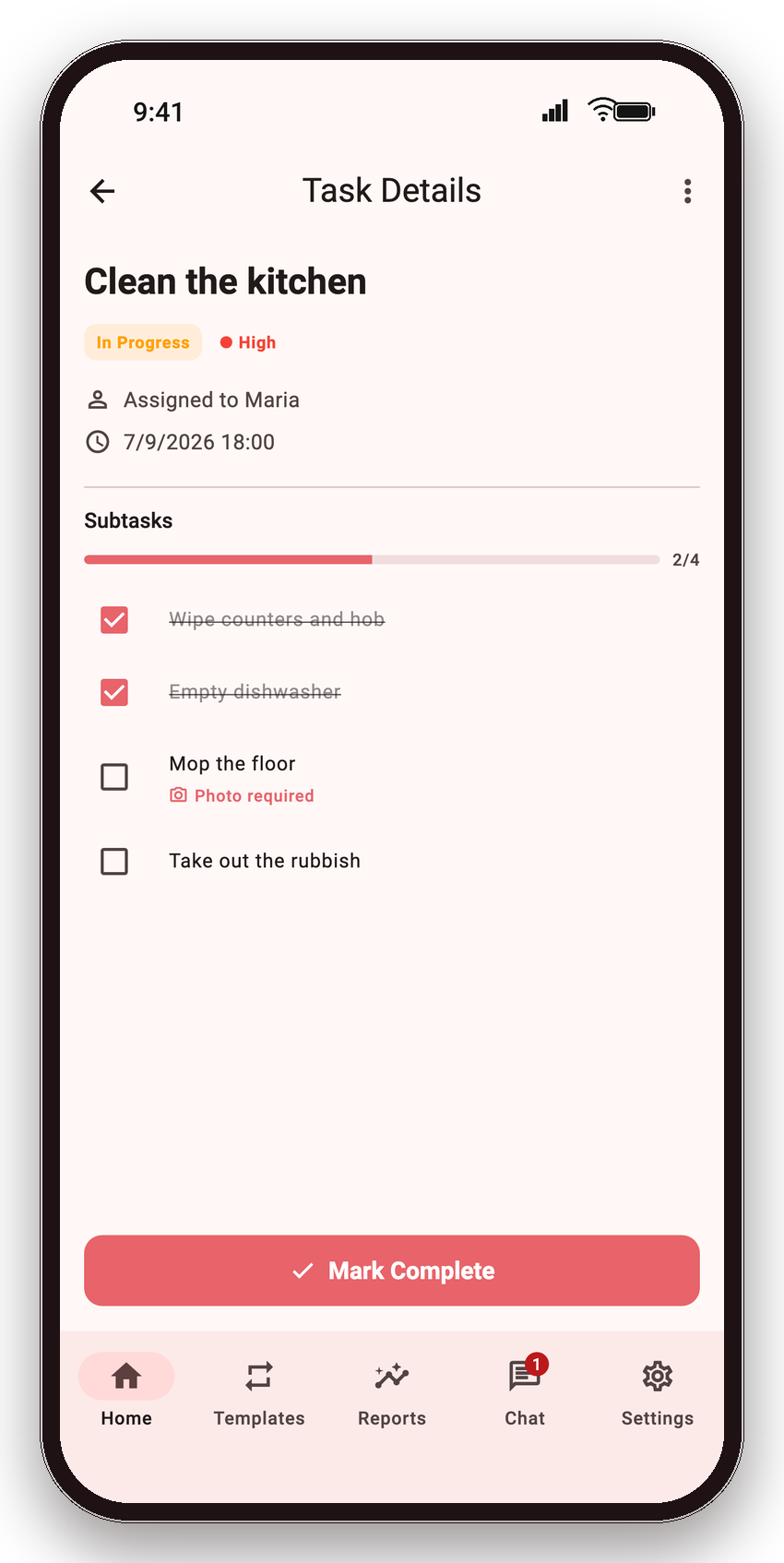
Checklists with photo proof
Break a chore into steps, watch progress as a fraction and a percentage, and ask for a photo when a task is finished so you can see it was done properly.
Routines that schedule themselves
Set a routine once — daily, on chosen weekdays, on set dates or every few days — and the tasks are created automatically, on time, in the household’s own time zone.
Dashboard and reports
Today at a glance: what is done, open and overdue, per person. A weekly view shows the trends and the best and quietest days.
Notifications that matter
Task assigned, reminder before the deadline, overdue alert, daily summary — each one switchable by the Head Kin, each one sent once.
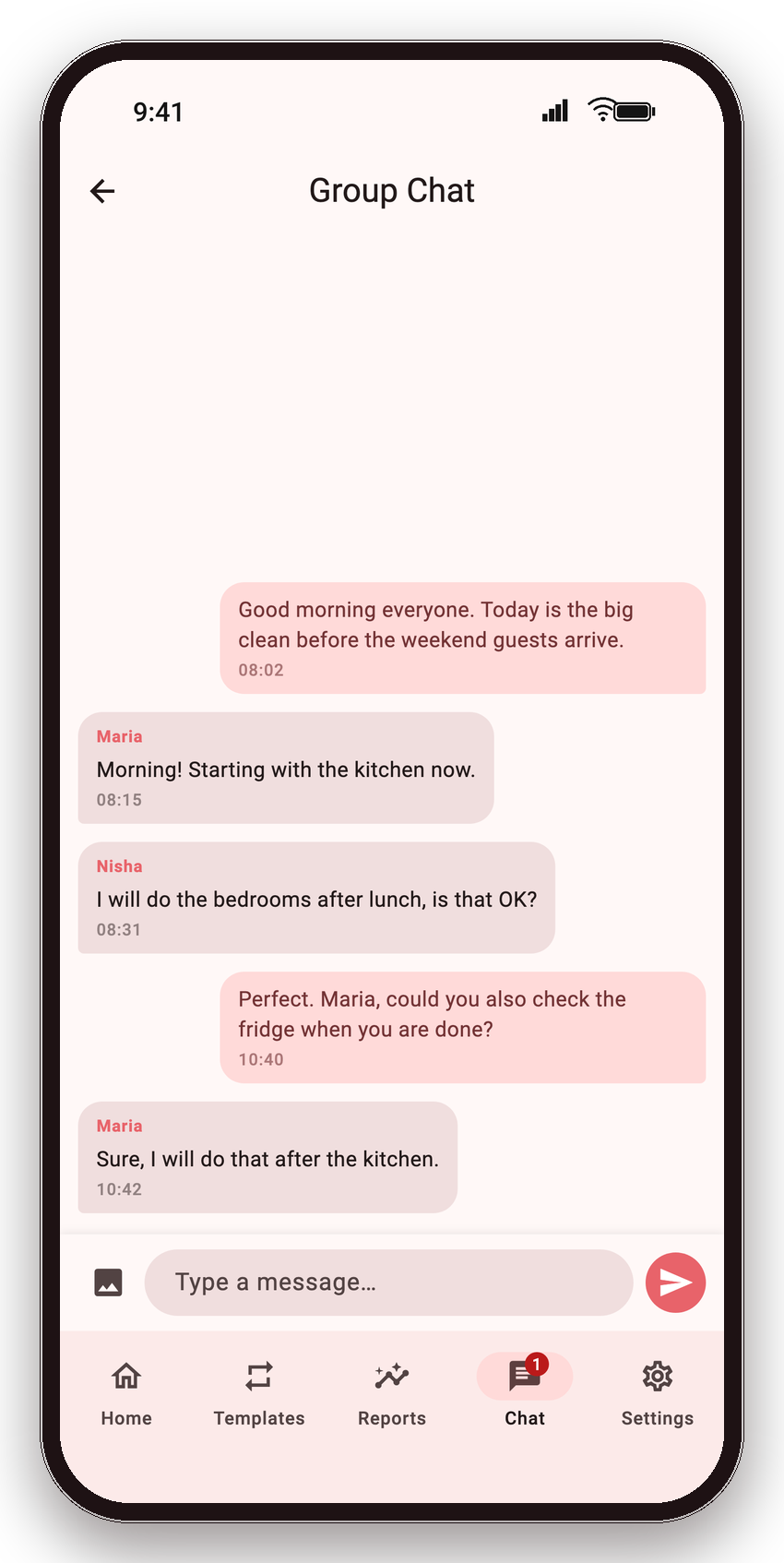
Group and one-to-one chat
A shared channel for the whole household and direct messages with each helper, so instructions and questions stay next to the tasks.
No accounts, no passwords
Pair a phone by scanning a QR code. Each device gets a restore code to move to a new phone. Works offline and syncs when you are back online.
How it works
Set up in under a minute
Create your household
Open the app, choose Head Kin and give the household a name. That is the whole sign-up.
Pair the other phones
Name a slot — “Maria”, “Kitchen tablet” — and show the QR code. The other phone scans it and is in.
Assign and watch it happen
Add a task or pick a ready-made routine. It lands on the right phone instantly, and you see it ticked off live.
Eight languages
Speaks your household’s languages
Every screen and every notification, in the language each person chooses on their own phone. The Head Kin can plan in Greek while a helper reads the same list in Sinhala or Filipino.
FAQ
Good to know
Is KinTrack free?
Yes. The app is free to download and use, supported by unobtrusive ads. A few extras such as photo proof and chat images are reserved for a Premium tier that is not on sale yet.
Do we need to create accounts?
No. There are no emails, passwords or sign-ups. A device joins a household by scanning a QR code, and moves to a new phone with its restore code.
What if someone is not tech-savvy?
A Kin’s screen is a plain list of today’s tasks in their own language. Ticking one off is a single tap, and that is all they ever need to learn.
Does it work without internet?
Yes. Everything works offline, and changes sync automatically the moment a connection returns.
Where is our data stored, and who can see it?
In Google Firebase, restricted to the devices in your household. There are no analytics or tracking SDKs beyond the ad network. See the privacy policy for the full picture.

Want KinTrack for your household?
It is arriving on the App Store and Google Play. Questions in the meantime? We reply personally.
Coming soon to the App Store and Google Play.
Contact us